
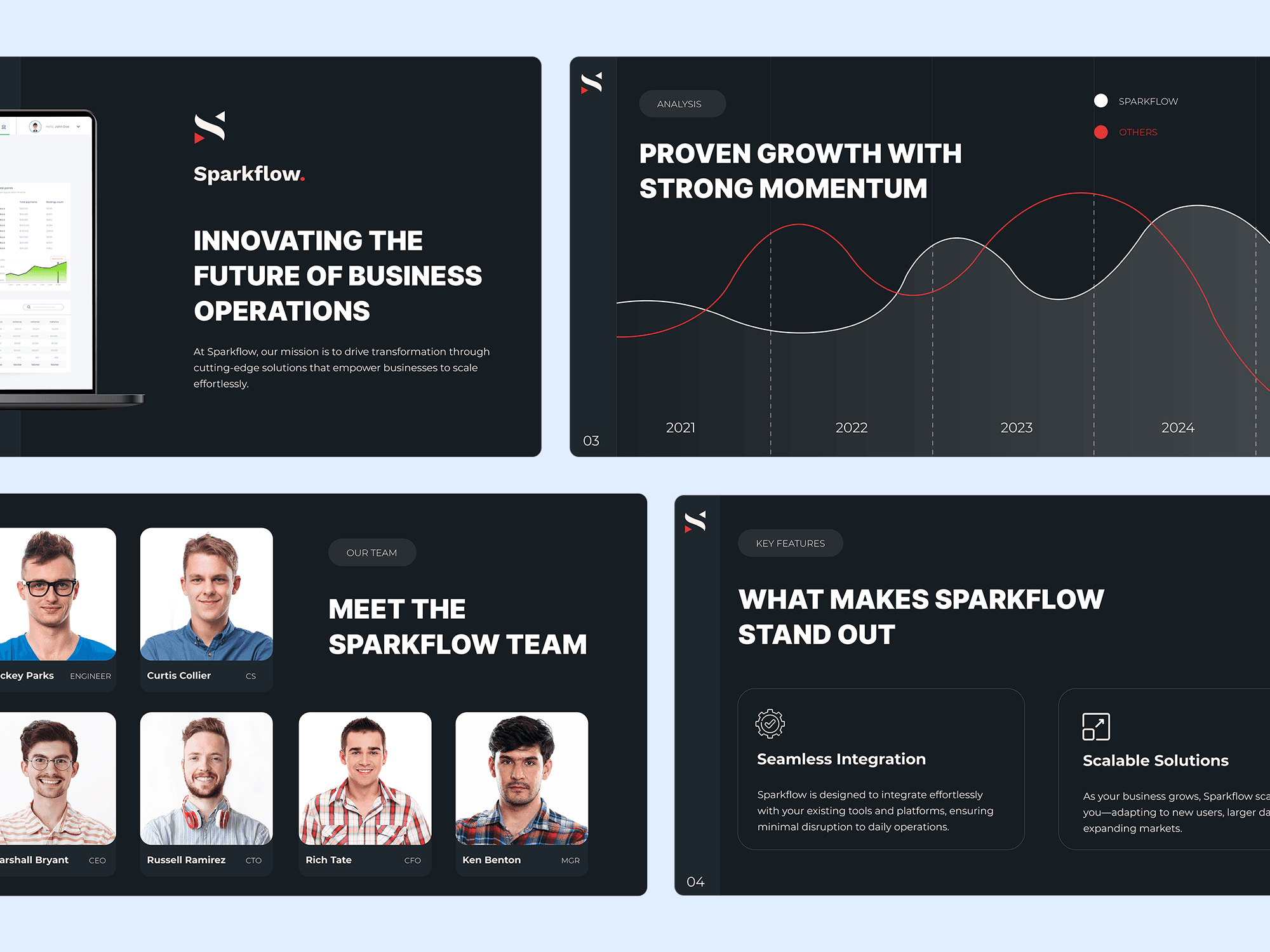
You already have the presentation.
The content is there. The numbers are correct. The key messages have been written. But when you open the deck, it doesn't look as professional as the company, product, or idea it represents.
You don't necessarily need to start over.
A professional presentation redesign can take your existing PowerPoint and transform it into a polished, consistent, and engaging deck while preserving the content you've already created.
What is a presentation redesign service?
Presentation redesign is the process of improving the visual design and communication of an existing presentation.
Instead of creating an entirely new deck from scratch, a presentation designer works with your current slides and improves how the information is presented.
At Sligge, presentation redesign can include:
- Improving slide layouts
- Creating stronger visual hierarchy
- Updating typography
- Applying consistent branding
- Redesigning charts and graphs
- Improving tables and data-heavy slides
- Replacing outdated visual elements
- Creating diagrams and infographics
- Improving spacing and alignment
- Making the entire deck visually consistent
The result is still your presentation—just clearer, more professional, and easier to follow.
When does a PowerPoint deck need redesigning?
Presentations often evolve over time.
A deck might start with 10 carefully designed slides. Then different people add new slides, copy layouts from older presentations, introduce different fonts, and squeeze additional information into existing pages.
Eventually, the presentation stops feeling like one cohesive document.
Other decks simply haven't been professionally designed in the first place. The content may be excellent, but default PowerPoint layouts and inconsistent formatting can make the presentation feel unfinished.
A redesign can be especially valuable when you're preparing a deck for:
- An important client meeting
- A sales presentation
- An investor presentation
- A company conference
- An executive meeting
- A proposal
- A product launch
- A partnership presentation
- A major internal presentation
When the audience matters, the way the information is presented matters too.
What happens to my existing content?
In most redesign projects, your existing content remains the foundation of the presentation.
You shouldn't have to rewrite an entire deck simply because the design needs improvement.
The designer can work with your existing headlines, copy, charts, tables, screenshots, images, and data while improving how those elements appear on each slide.
Sometimes a slide contains too much information to communicate effectively. In those cases, the content may benefit from being reorganized, shortened, or distributed across multiple slides.
The objective isn't to change your message unnecessarily. It's to help that message come across more clearly.
What makes a redesigned presentation better?
Good presentation redesign isn't about adding decoration.
It's about creating structure.
Someone looking at a slide should quickly understand what matters most. Headlines should communicate the key point. Supporting information should have an obvious hierarchy. Charts should make data easier to understand rather than harder.
Consistency is equally important.
Fonts, colors, margins, image treatments, icons, charts, and other elements should feel like parts of the same visual system.
When those details are handled properly, the presentation feels more deliberate and professional.
Can you redesign a presentation using our existing brand?
Yes.
If your company already has established brand guidelines, the presentation can be redesigned around them.
That might include your:
- Brand colors
- Fonts
- Logo
- Photography style
- Illustration style
- Iconography
- Existing presentation templates
If you don't have formal presentation guidelines, a visual direction can be developed using the branding you already have.
The goal is for the final presentation to feel like it belongs to your company—not like a generic PowerPoint template.
What about charts and data-heavy slides?
Charts are often some of the most important slides in a business presentation.
They're also frequently some of the hardest to read.
A presentation redesign can simplify the visual treatment of charts, establish clearer hierarchy, highlight important data points, and make multiple charts feel consistent.
The same applies to tables, timelines, processes, organizational structures, comparisons, and other complex information.
Rather than simply making these slides prettier, the objective should be to make the information easier to understand.
Will the redesigned PowerPoint remain editable?
It should.
Businesses often need to update presentations after the design project is finished.
Prices change. Numbers are updated. New clients are added. Traction increases. Team members change.
At Sligge, presentations can be delivered as editable PowerPoint files so your team can continue updating the deck when necessary.
This is particularly important for presentations that will be used repeatedly.
Redesign vs. creating a new presentation
If your existing deck already contains the right information and follows a sensible structure, redesigning it is often more efficient than starting from scratch.
If the deck has deeper problems—such as unclear messaging, excessive content, or a confusing sequence—more substantial restructuring may be useful.
The right approach depends on the presentation.
You don't need to know which option you need before getting started. The existing deck itself usually makes that clear.
Ready to improve your existing presentation?
You don't need to throw away the work you've already done.
If you have an existing PowerPoint that needs a more professional, consistent, and polished design, Sligge can redesign it while preserving the content and ideas that matter.
Send us your current presentation and project requirements, and we'll turn it into a deck that's ready for your audience.